
VPN vs. Proxy:
What’s the Difference?
Both VPNs and proxies obscure your IP address by routing traffic through a remote server. However, their approach to cryptographic security, packet handling, and system-wide privacy are fundamentally different. Here is the definitive breakdown.

By Andreas Lazarou, Lead Security Engineer
Technically Reviewed by the VPNDeals Team • Updated February 2026
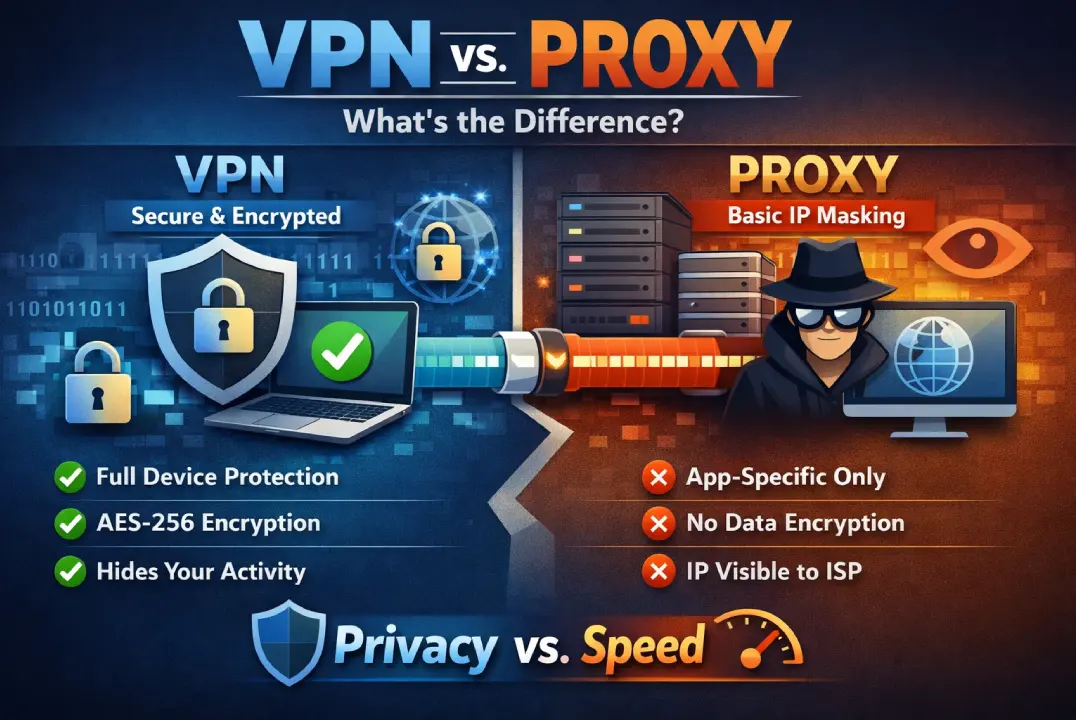
In short: A VPN encrypts your entire device’s internet connection for maximum security and privacy, while a proxy only masks your IP address for a single app or browser tab without encrypting your data.
At a Glance: Core Differences
While both protocols serve as intermediaries that mask your IP address, a Virtual Private Network (VPN) provides cryptographic tunneling for your entire operating system, whereas a proxy server merely forwards unencrypted requests for specific applications.
Virtual Private Network
A VPN secures your entire internet connection. It wraps all outbound data in unbreakable encryption, making it the uncompromising standard for digital privacy.
Entire OS / Device
AES-256
Zero-Knowledge
Minor Tax
Proxy Server
A proxy acts as a middleman for a single app or browser tab. It dynamically masks your IP to bypass basic firewalls, but leaves payload data completely unencrypted.
App-Specific
None (Exposed)
Visible to ISP
Instantaneous
Technical Specification Comparison
A side-by-side analysis of how VPNs and proxies handle payload data, system scope, and ISP visibility, alongside the real-world impact of those technologies.
| Feature | VPN | Proxy | Security Impact |
|---|---|---|---|
| Encryption Level | End-to-End (AES-256 / WireGuard®) | None (Standard) | VPN Prevents: ISP snooping and man-in-the-middle attacks. |
| System Scope | System-wide (OS Level) | Application Specific | VPN Secures: Background apps, OS updates, and entire devices. |
| ISP Visibility | Hidden (Zero-Knowledge) | Visible Data Payloads | VPN Hides: Your browsing history and DNS requests from data brokers. |
| Primary Use Case | Cybersecurity & Complete Privacy | Web Scraping & IP Rotation | Context Dependent: Proxies excel at bot scraping; VPNs dominate personal privacy. |
What is a VPN?
A Virtual Private Network creates a secure, cryptographic tunnel between your device and the internet. It fundamentally masks your origin node and scrambles data at the packet level.
How it Works:
What is a Proxy?
A Proxy Server operates purely as a forwarder. The destination host logs the proxy’s IP address instead of your hardware ID. However, proxies rarely deploy transit encryption.
Protocol Types:
Which Protocol Should You Deploy?
Your choice between a VPN and a proxy depends entirely on your threat model. Use a VPN for system-wide cybersecurity and data protection, and use a proxy strictly for low-stakes IP rotation.
Always Deploy a VPN when:
You require zero-trust, system-wide security and uncompromised privacy.
-
Transmitting data over open public Wi-Fi networks.
-
Accessing decentralized financial exchanges or banking.
-
Blocking ISPs from executing deep-packet surveillance.
-
Bypassing aggressive streaming geo-blocks natively.
A Proxy is Sufficient when:
You are executing basic tasks where personal identity masking is irrelevant.
-
Evading a basic local firewall to read localized news.
-
Running automated scraping bots that require IP rotation.
-
Testing global CDN latency from a specific virtual region.
Common Myths & Misconceptions
Before making a decision regarding your digital security infrastructure, clear up these high-risk misunderstandings.
Myth: “Free proxies are perfectly safe.”
Absolutely False. Infrastructure requires capital. If a routing service is free, you are the commodity. Free proxies are notorious for aggressively logging activity, injecting malicious ads into packet payloads, and selling user telemetry to third-party data brokers.
Myth: “A VPN destroys internet speed.”
Outdated. Historically, heavy ciphers caused latency. Today, premium networks deploy hyper-efficient, kernel-level protocols. The speed delta is mathematically negligible, and can occasionally improve speeds by bypassing ISP throttling algorithms.
Myth: “Incognito mode is the same as a VPN/Proxy.”
Dangerous Misconception. Incognito or “Private Browsing” only prevents your browser from saving local history and cookies on your physical device. It does nothing to hide your IP address, encrypt your data, or prevent your ISP from tracking you.
Myth: “My ISP can’t see what I do on a Proxy.”
False. Because proxies generally lack transit encryption, your Internet Service Provider can see every packet of data you send. They will know exactly what files you are downloading and what unencrypted sites you are requesting.

About the Author
Andreas Lazarou is the Lead Security Engineer at VPNDeals. With over a decade of experience in cryptographic protocols and network architecture, he specializes in identifying vulnerabilities in routing infrastructure, testing zero-log environments, and auditing enterprise firewall deployments.
The Final Verdict
If you value digital autonomy, zero-knowledge security, and the absolute safety of your localized data, a VPN is the only mathematically sound choice. Proxies are utility tools for developers; they are not cybersecurity shields.